Adding employees
People lists everyone in the organisation, with filters by department, location and status. Owners and HR admins add people; payroll admins add and change pay. Managers see their team, and every member sees the directory (name, job title, department, team, location, work email and phone, manager).
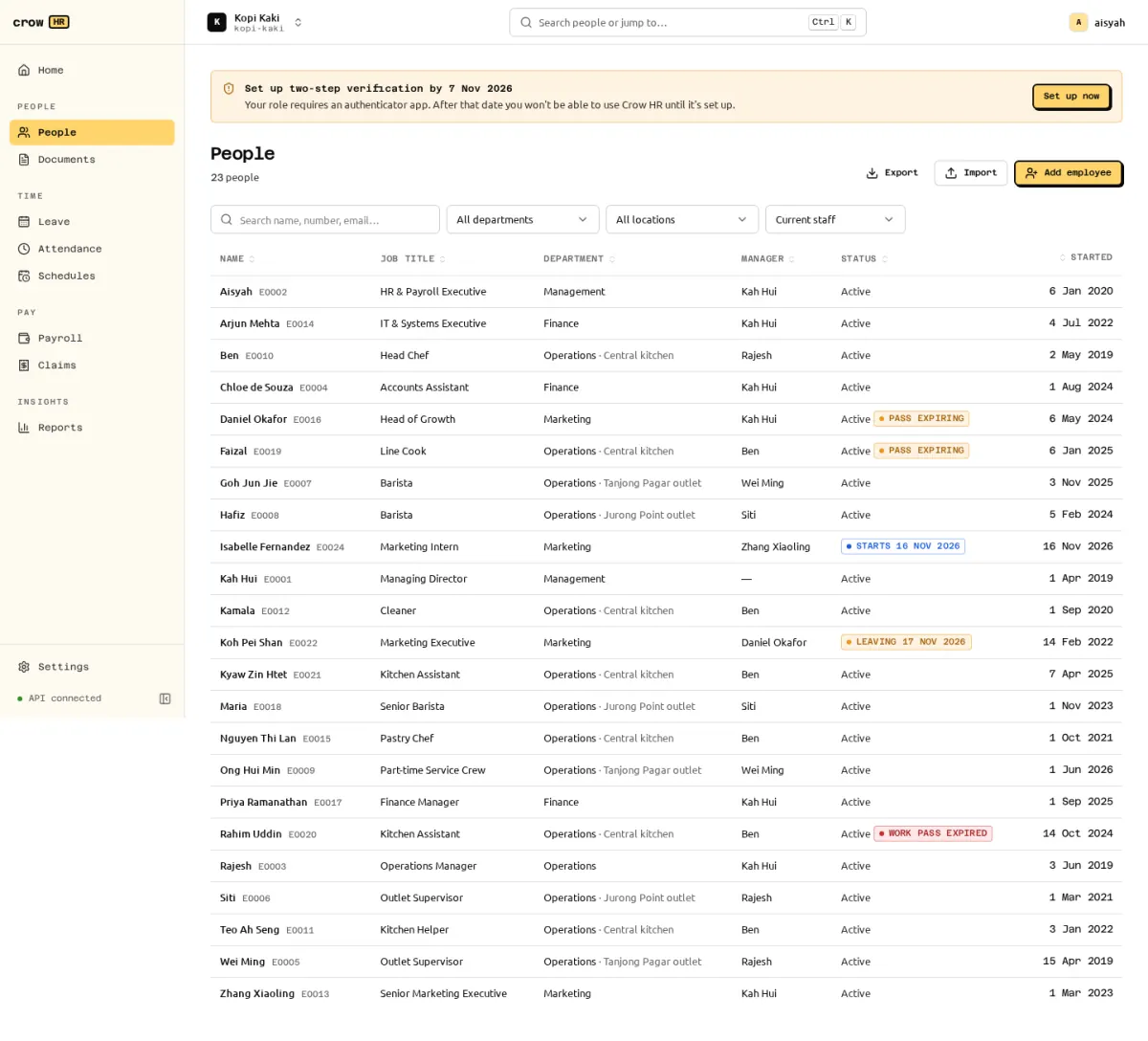
Add one employee
Section titled “Add one employee”Choose Add employee. The form follows the record’s sections:
| Section | Fields | Used for |
|---|---|---|
| Person | Legal name, preferred name, ID type (NRIC, FIN or other) and number, date of birth, gender, nationality | Payslips, CPF age band, IR8A. NRIC and FIN must pass the check-letter test (S/T for NRIC; F/G/M for FIN, including the M series). |
| Residency | Citizen, PR (with PR start date) or foreigner | CPF rates: an SPR’s first two years use graduated rates. The PR start date is required for PR and refused otherwise. |
| Race and religion | Optional | Default self-help group (SHG) fund. An SHG opt-out can be recorded with its date. |
| Contact | Work email, personal email, mobile, address | The work email receives the sign-in invitation. 8-digit mobile numbers are taken as +65. |
| Job | Start date, job title, department, team, location, cost centre, manager, employment type, work schedule, probation end | Reporting lines (manager scope), pro-ration, checklists. |
| Pay (payroll roles only) | Pay basis (monthly or hourly) and amount | Payroll. Recurring allowances are added from the profile. |
| Work pass (foreigners) | Pass type, number, issue and expiry dates | A foreigner cannot be hired without a pass valid on the start date. See work passes. |
Saving creates the employee, their first employment period, the onboarding checklist from the default template and a sign-in invitation: emailed when SMTP is configured, otherwise shown once as a link to copy.
Checks that stop a hire:
- An ID number already used by another employee of the organisation, including a former one (
409 duplicate_id_number). The message offers to rehire that person instead, which keeps their history. - An age below the minimum employment age on the start date (13, Employment Act s 68(3)). The family-only industrial undertaking exception is not supported.
- A manager that would create a reporting cycle, or the employee as their own manager.
An existing sign-in with no employee link is linked automatically only if it holds no assigned roles. An owner or admin sign-in is never linked automatically; the hire succeeds with a message explaining why the invitation was skipped.
Employee numbers are generated as E0001, E0002… unless you enter one.
Legal and preferred names
Section titled “Legal and preferred names”The legal name is the name on the NRIC, FIN card or passport. It goes on payslips, letters, the CPF file and IR8A. The preferred name is optional: the name the person goes by, for example Hafiz for Muhammad Hafiz bin Ismail or Jun Jie for Goh Jun Jie. Crow HR greets people and lists them in the directory by their preferred name, and uses the full legal name when there is none. It never guesses a “first name” from the legal name, because name order differs between Chinese, Malay, Indian and other names.
HR can change both names from the profile (Overview → Names → Edit); employees can change their own preferred name in My profile. The CSV import has an optional preferred_name column.
Workmen, managers and executives (Employment Act Part 4)
Section titled “Workmen, managers and executives (Employment Act Part 4)”Part 4 of the Employment Act (hours of work, rest days and statutory overtime at 1.5× the hourly basic rate) covers workmen earning up to S$4,500 basic pay a month and other employees earning up to S$2,600. It never covers managers and executives, whatever they earn. Tick Workman or Manager or executive in the Job section when you add someone, or later with Record change on the profile. The Job tab shows the classification in force.
The duties decide the classification, not the job title: a manager or executive has executive or supervisory duties, such as hiring, appraisals or running a team. See MOM: who is covered.
For someone flagged as a manager or executive, attendance records overtime as contractual, payroll asks for the contractual overtime amount (OT_NOT_STATUTORY), and the Part 4 carry-forward of unused annual leave does not apply.
The employee profile
Section titled “The employee profile”The profile has tabs for the person, work, pay, history and checklists. Records that change over time (job, pay, allowances, bank account, schedule) are effective-dated: each change has a start date, a future date is shown as “Scheduled” and applies on the day, and you can look at what was in force on any past date.
Sensitive fields
Section titled “Sensitive fields”- NRIC/FIN, passport and work pass numbers and bank account numbers are encrypted in the database. NRIC/FIN is shown masked (
S****567D), bank numbers as their last 4 digits. - People with access can reveal one full value at a time. Revealing needs a recent sign-in, is limited to 30 per hour and is audit-logged.
- Pay and bank details are hidden from HR admins and managers. The API leaves such fields out and lists them in
redactedFields.
See roles and permissions for who sees what.
Bank account
Section titled “Bank account”Each employee has at most one current bank account (bank from the list of Singapore banks, account number, holder name). A new account keeps the old one as history, and payroll uses the account that is current on the pay date. Employees change their own bank details through a change request.
Export
Section titled “Export”Export downloads the current list (with your filters and chosen columns) as CSV or XLSX. Only columns you can read are offered, managers export only their team, and unmasked NRIC or bank numbers need a recent sign-in. Every export is audit-logged with its columns and row count.